


Dental 3D Illustrations
4.530.00 Reviews
App Specs
- Version
- 2.1.101
- Updated On
- License
- Free
- Downloads
- 500,000+
- Developer
- Alex Mit
- Categories
- Medical
- Platform
- Android
Screenshots
 Analysis by AppCompare
When a dentist explains a procedure, the hard part is often picturing what sits beneath the surface. Dental 3D Illustrations is aimed at that gap: it presents dental subjects visually, making it easier to connect a spoken explanation with teeth, gums, and jaw anatomy. I find that a useful idea for patient conversations and self-study, though the app works best as a visual aid rather than a replacement for a dentist’s guidance.
Why a visual aid can help
Dental terms can sound abstract when you are worried about an appointment or trying to understand a treatment plan. A three-dimensional view gives you something concrete to look at while a clinician explains where a problem is and what they intend to do. That can make it easier to ask focused questions, such as which tooth or area is being discussed, instead of trying to remember unfamiliar terminology alone.
That usefulness depends on how the app is used. I would treat its illustrations as general educational material, not as a personal assessment. A model cannot tell you what is happening in your mouth or decide which treatment is appropriate. If you have pain, swelling, bleeding, or another concern, the right next step is to contact a dental professional rather than trying to diagnose yourself from an illustration.
Trust, controls, and what I can judge
Trust matters with a medical app, even one focused on education. The details I can confidently point to are its identity and basic availability: it is a free medical app developed by Alex Mit, rated for Everyone, and its current version is 2.1.101. It has an average rating of 4.5 from around 3,000 ratings, with over 500,000 installs. Those figures suggest that many people have tried it, but they do not prove that its content will suit every learner or every clinical conversation.
The app is free to download, while in-app purchases are listed at prices from $9.99 to $69.99 per item. I would check the purchase screen carefully before confirming anything, especially if a child is exploring the app or if you only want to try the free experience. That is a practical point of user control: know when a purchase is being offered and decide whether it adds value for your particular purpose.
For privacy-sensitive use, I would also pause before entering any personal health details into an app unless I had reviewed its current privacy information and the choices presented on the device. A dental illustration can be useful without being tied to a person’s diagnosis. If you are a clinician showing a model during a consultation, avoid displaying identifiable patient information unnecessarily and keep the conversation focused on the visual explanation.
Who is likely to get the most from it?
I can see this being most useful to patients who understand information better when they can see the anatomy, to students who want a visual companion to their reading, and to dental professionals looking for a way to support an explanation. It may also suit a curious learner who wants a more spatial sense of dental structures than a flat diagram provides. The benefit is not that an illustration makes someone an expert; it is that it can give them a clearer starting point for learning or asking questions.
Worth Reading Before You Choose

Flipboard Shows What News Apps Must Do Beyond the Feed

Switching to Android Auto Means Rethinking Your Driving Routine

Google Calendar Makes a Crowded Week Easier to Manage

Ludo King Makes the Most of the Minutes Between Plans

Baby Panda World Brings Quick Play to Modern Phones, but Its Game Library Feels Busy

ESPN’s Live Game View Makes Following Close Games Easier
A realistic use would be a patient opening the app before an appointment to become familiar with the parts of a tooth, then asking the dentist to explain how the illustration relates to their own case. Another is a student reviewing anatomy after class: rotating a model can help connect a written description with its position in the mouth. In both situations, I would use the app to prepare questions, not to reach a conclusion about treatment.
It is less suitable for someone who needs a diagnosis, personalized treatment instructions, or urgent dental advice. It is also not the best fit for a learner who needs a structured course with detailed progression, extensive testing, or clinical case practice. A textbook, a course designed for dental students, or a direct conversation with a clinician may serve those needs better.
Using Dental 3D Illustrations in practice
I’d use this section to focus on turning visual exploration into a practical learning routine: begin with the overall anatomy, then narrow in on the detail you want to understand. I’d also keep the goal modest—preparing a question or reinforcing study, rather than drawing conclusions about a personal dental problem. That distinction helps make a visual tool useful without asking it to do a clinician’s job.
First Impressions
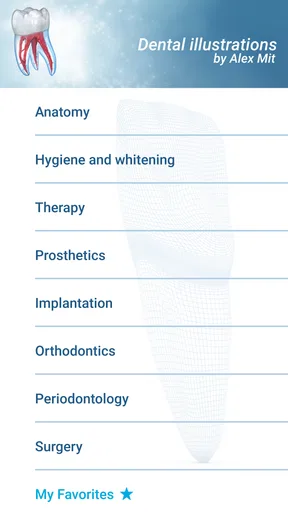
Firing up the app for the first time, I was immediately struck by the slick and intuitive interface. It’s got that friendly vibe that’s inviting, even if you’re not exactly a tech whiz. Navigating through the options is a breeze. The main menu offers a straightforward layout, guiding you to various dental models and illustration categories.
Diving into the Features
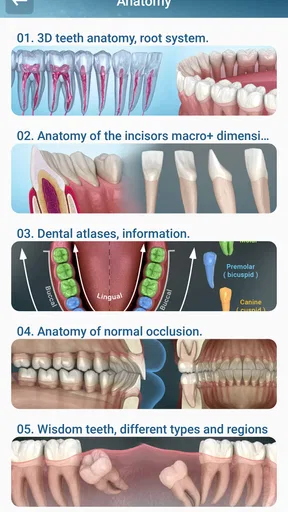
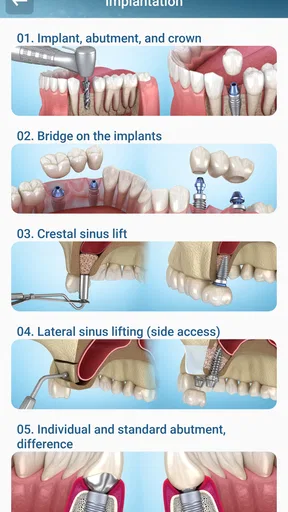
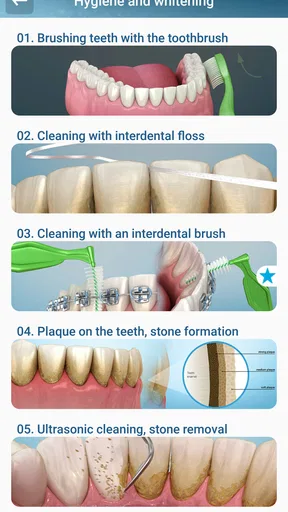
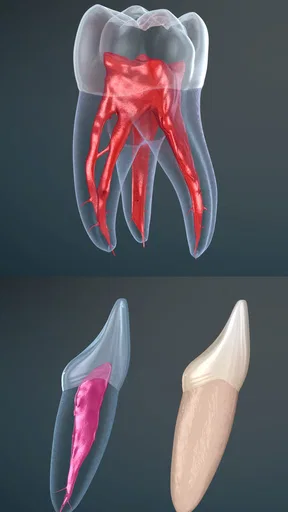
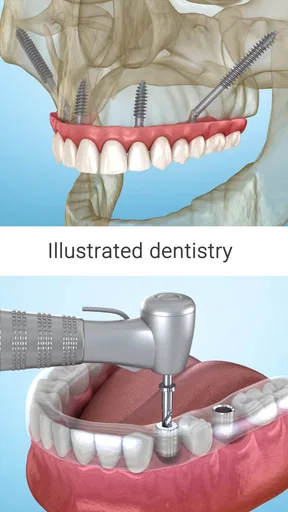
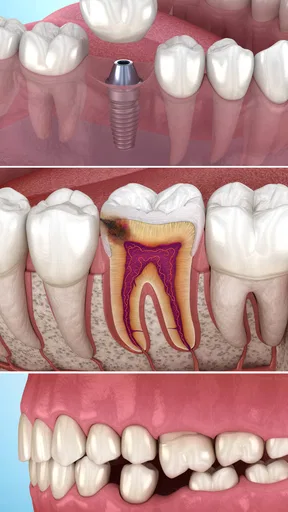
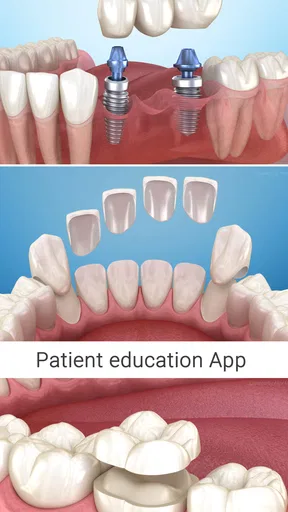
Let’s talk about what you can actually do with Dental 3D Illustrations. The app boasts an impressive array of 3D models of teeth, gums, and even full jaw structures. You can rotate these models 360 degrees, zoom in for a closer look, and isolate specific parts to get detailed information. It’s like having a mini dental school at your fingertips!
One feature that stood out to me was the interactive quizzes. These are sprinkled throughout the app to test your knowledge as you learn. It’s a fun way to reinforce what you’ve just seen and make sure it sticks. Plus, who doesn’t love a little friendly competition, even if it’s just against yourself?
A useful way to approach the models is to start with the whole structure before focusing on a single part. That gives the details context and makes it easier to understand where an isolated feature belongs. I would also use rotation deliberately: compare the same area from different angles, then zoom in only when you have a question to answer. This keeps exploration purposeful instead of turning into aimless tapping.
Educational Content
The educational content here is top-notch. The app includes detailed text explanations alongside each model, providing context and depth to the visuals. Whether you’re a dental student or just someone interested in the field, the information is comprehensive without being overwhelming.
“Learning about dental health has never been this engaging and accessible. It’s like having a dental encyclopedia in your pocket.”
For a patient, I would pair the text with a real question from an upcoming visit: What structure is my dentist referring to? What should I ask them to clarify? For a student, the same material can be used as a quick visual check after reading, rather than as the only source of study. The distinction matters because an illustration can make anatomy easier to picture while still leaving out the nuance needed for clinical decisions.
Why It Stands Out
So, what makes Dental 3D Illustrations different from other educational apps out there? It’s the combination of accessibility and depth. The 3D aspect isn’t just a gimmick; it genuinely enhances the learning experience. Visual learners, in particular, will appreciate how the app brings complex dental concepts to life.
I also have to give a nod to the developers for making the app available on both Android and iOS. No matter your device, you’re covered. Plus, it doesn’t take up a ton of space, which is always a win in my book!
Compared with a conventional dental diagram or a page in a textbook, a model you can rotate offers a different kind of understanding: it helps you explore spatial relationships rather than only read labels on a fixed image. Compared with a video, it gives you control over the viewing angle instead of moving through a predetermined sequence. Those formats still have their place. A diagram can be faster for a simple label, while a video or a clinician’s explanation may be better when a process needs to be shown step by step.
The app’s release date is December 6, 2020, and it requires Android 6.0 or later on Android devices. That makes the minimum system requirement worth checking before installing on an older phone or tablet. The version number and platform requirements are practical details, but they do not replace checking that the app works comfortably on the device you plan to use during study or a consultation.
Room for Improvement?
Of course, no app is perfect. While I found the educational content to be thorough, the app could benefit from more interactive elements. Maybe integrating more videos or interactive case studies could elevate it even further. Additionally, while the app is user-friendly, a tutorial for first-time users wouldn’t hurt, just to make sure everyone’s on the same page from the get-go.
There is also a difference between exploring a model and learning to apply anatomy in a real clinical setting. The former can support understanding; the latter requires professional training and context. I would not rely on quizzes or illustrations to determine whether a symptom is serious, and I would not use a model to challenge a dentist’s individualized recommendation without discussing the specific evidence behind it.
For people deciding whether to pay for anything, I would first identify a concrete need: perhaps a particular set of learning materials or a feature that would change how you study. If the free experience already answers your questions, there may be no reason to spend. If a purchase is presented, read its description and price on the confirmation screen rather than assuming every option is necessary for basic exploration.
Wrapping It Up
All in all, Dental 3D Illustrations is a fantastic resource for anyone looking to dive deeper into dental health and anatomy. It’s fun, educational, and incredibly easy to use. Whether you’re a student, a professional, or just a curious soul, this app is definitely worth checking out. So, if you’re ready to see dental health in a whole new light, go ahead and give it a download. Your brain (and your dentist) will thank you!
My recommendation is a cautious one: I would try it if I wanted a visual way to explore dental structures or prepare for a conversation with a dentist. Its 3D approach gives it a clear purpose beyond a basic glossary, and the quizzes can make review more active. I would skip it as a source of diagnosis or as a substitute for a structured professional course. Used with those boundaries in mind, it can make dental anatomy easier to picture and help a user arrive at an appointment with better questions.
Pros
- Highly detailed 3D visuals enhance learning.
- User-friendly interface for easy navigation.
- Comprehensive library of dental anatomy models.
- Regular updates with new content and features.
- Offline access to models for convenience.
Cons
- Some models require in-app purchases.
- Limited customization options for models.
- High storage space requirement for installation.
- Occasional lag on older devices.
- No multilingual support currently available.
FAQs for Dental 3D Illustrations
What is Dental 3D Illustrations and how does it work?
Dental 3D Illustrations is a cutting-edge app designed for dental professionals and students. It provides detailed three-dimensional models of dental anatomy, allowing users to explore and interact with various structures. The app uses advanced rendering technology to offer a comprehensive and immersive learning experience, making it an invaluable tool for education and practice.
Is Dental 3D Illustrations suitable for beginners in dentistry?
Yes, Dental 3D Illustrations is suitable for both beginners and experienced professionals in the field of dentistry. The app offers a user-friendly interface and detailed models that cater to different levels of expertise. Beginners can learn the basics of dental anatomy, while experienced users can explore more complex structures and procedures.
What devices support Dental 3D Illustrations?
Dental 3D Illustrations is available for both Android and iOS devices. It is optimized for smartphones and tablets, ensuring a seamless experience across different screen sizes. Users should ensure their device meets the app’s minimum system requirements for optimal performance and functionality.
Are there any in-app purchases or subscriptions required?
Dental 3D Illustrations offers a range of features that may include in-app purchases or subscription options. While the app provides a robust set of free features, additional content and tools may require payment. Users can choose to enhance their experience with these optional purchases based on their needs.
How does Dental 3D Illustrations enhance learning for dental students?
Dental 3D Illustrations enhances learning by providing interactive 3D models that allow students to explore dental anatomy in detail. The app offers features like zoom, rotate, and layer removal, enabling a hands-on approach to learning. This interactive experience helps in better understanding and retention of complex dental concepts.


